Markdown Parser | Editor with Bidirectional Support
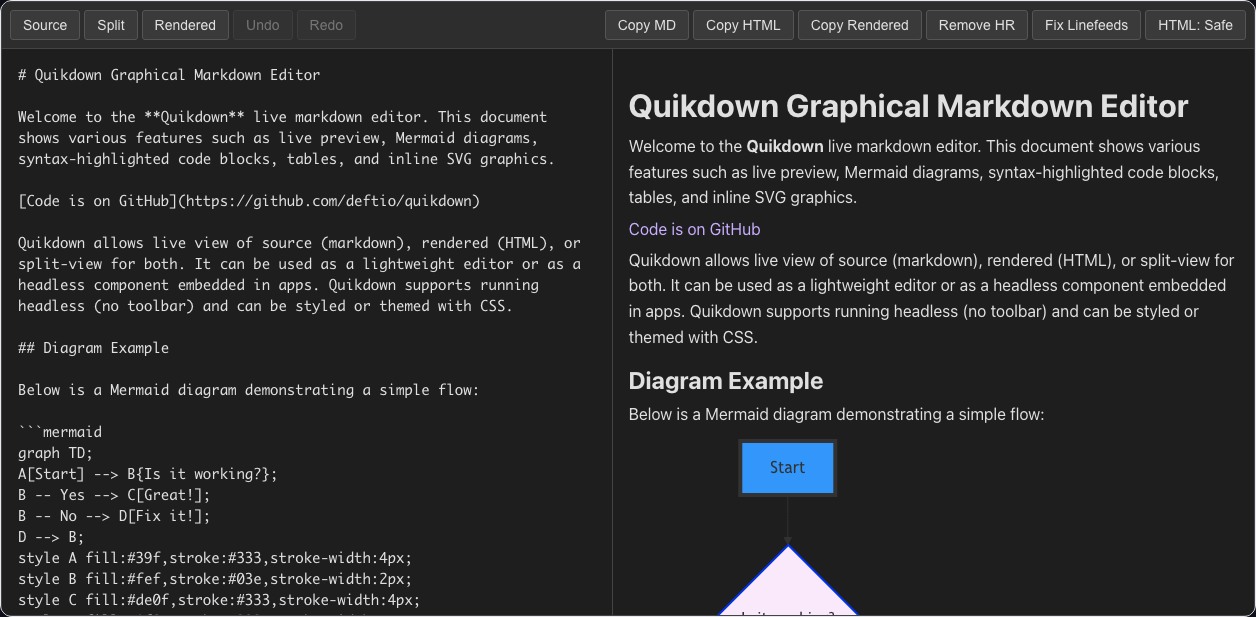
Zero-dependency markdown-to-HTML and HTML-to-markdown with live editing support. quikdown_edit is a full split-view editor with fence plugins for code highlighting, Mermaid diagrams, MathJax, SVG, CSV, GeoJSON maps, STL 3D models, ABC music notation, and Vega/Vega-Lite charts.
Use only what you need
Three core tiers, each a superset of the previous — plus AST, MCP, and standalone modules. Install just what your app needs.
quikdown 17.1 KB
Markdown → HTML parser. XSS-safe by default. Fence callbacks for custom rendering. Themed CSS or inline styles. Use it when you just need to render markdown.
import quikdown from 'quikdown';

const html = quikdown('# Hello\n\n**world**');
document.body.innerHTML = html;quikdown_bd 22.7 KB
Everything in quikdown, plus HTML → Markdown
round-trip. Use this when users edit a rendered preview and you
need the markdown back.
import quikdown_bd from 'quikdown/bd';

const md = quikdown_bd.toMarkdown(
  document.querySelector('#preview')
);quikdown_edit 102.9 KB
A complete markdown editor in one <div>. Live
preview, bidirectional editing, fence plugins, toolbar, themes,
undo/redo. Or run it headless and supply your own UI.
import QuikdownEditor from 'quikdown/edit';

new QuikdownEditor('#editor', {
  mode: 'split', showUndoRedo: true
});Capabilities
Shaped by real use: streaming LLM output, in-app document editors, and standalone markdown tools.
Bidirectional editing
Edit either pane. Both stay in sync. Round-trip preserves formatting, fences, and tables. Nobody else does this well.
Headless mode
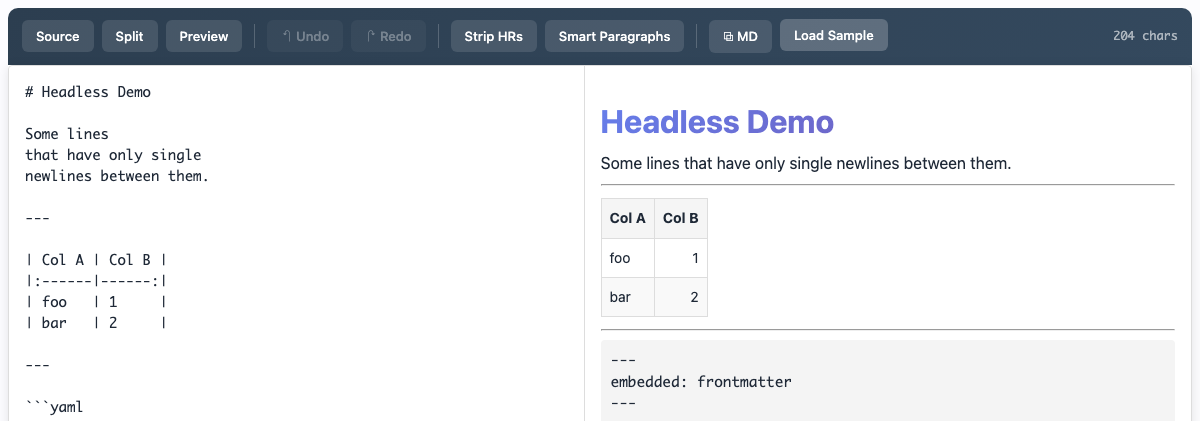
showToolbar: false and the editor becomes a pure component. Wire your own buttons to editor.undo(), editor.removeHR(), editor.setTheme(). Embed it in your app shell, your design system, your keyboard map.
Deep fence support
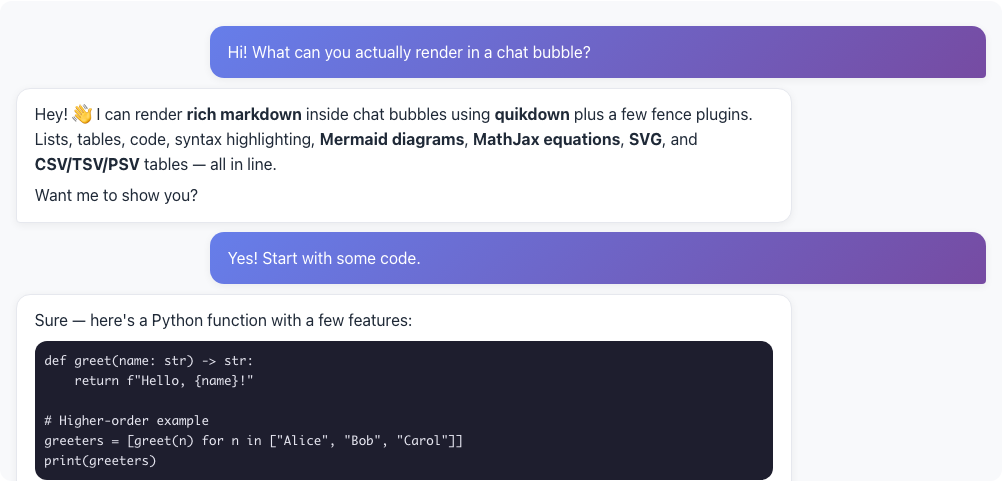
Code (with hljs), SVG, MathJax, Mermaid, CSV/TSV/PSV tables, GeoJSON maps, STL 3D, ABC music, Vega/Vega-Lite charts, raw HTML. All bidirectional.
Copy as rich text
Copies the rendered preview to your clipboard with images, tables, and rendered fences intact. Paste into Gmail, Word, Slack, Notion — it just works.
Light, dark, auto
Built-in theme support with runtime setTheme('dark'). Honors system preference. CSS custom properties or inline styles, your choice.
TypeScript ready
Hand-maintained .d.ts files for all modules. Complete API surface, no any.
Quikdown At a Glance
Parser & editor
- Markdown → HTML in one function call
- HTML → Markdown round-trip (bidirectional)
- Drop-in editor with source, split, and preview modes
- Headless mode — bring your own UI
- Undo / redo with configurable history
- Copy rendered preview as rich text
- Light, dark, and auto themes at runtime
- TypeScript definitions for all modules
Fence plugins
- Syntax-highlighted code blocks (highlight.js)
- Mermaid diagrams
- MathJax / LaTeX equations
- Inline SVG rendering
- CSV, TSV, and PSV → HTML tables
- GeoJSON → interactive Leaflet maps
- STL → 3D model viewer (Three.js)
- Raw HTML pass-through
Open source, BSD-2 licensed. Contributions welcome →
One import, no build step
Pick the layer, drop a script tag (or import), and you're done.
<script type="module">
  import quikdown from 'https://unpkg.com/quikdown';

  // Render markdown into a div — that's it.
  document.getElementById('out').innerHTML = quikdown(`
# Hello

This is **markdown**, parsed in the browser.

\`\`\`js
console.log('with syntax highlighting via fence_plugin');
\`\`\`
  `);
</script>
<script type="module">
import quikdown_bd from 'https://unpkg.com/quikdown/dist/quikdown_bd.esm.min.js';
// Render markdown to HTML
preview.innerHTML = quikdown_bd('# Editable\n\nClick to edit me.');
// Round-trip: convert the (possibly edited) HTML back to markdown
document.getElementById('save').onclick = () => {
const markdown = quikdown_bd.toMarkdown(preview);
console.log(markdown);
};
</script><div id="editor" style="height: 500px;"></div>
<script type="module">
import QuikdownEditor from 'https://unpkg.com/quikdown/dist/quikdown_edit.esm.min.js';
const editor = new QuikdownEditor('#editor', {
mode: 'split', // 'source' | 'split' | 'preview'
theme: 'auto', // 'light' | 'dark' | 'auto'
showRemoveHR: true,
showLazyLinefeeds: true,
showUndoRedo: true,
plugins: { highlightjs: true, mermaid: true }
});
editor.setMarkdown('# Welcome\n\nStart typing...');
</script>